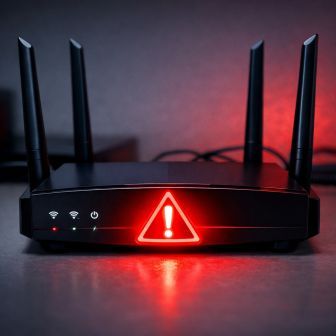
If you own a home or small-office router, the FBI has an urgent message about home router security – foreign military hackers may have been inside your network.
In April 2026, the FBI, NSA, and Department of Justice issued a joint alert. A Russian military intelligence unit — operating under names like APT28, Fancy Bear, and Forest Blizzard — had been systematically hijacking home and office routers across at least 23 U.S. states. The attack was serious enough that the FBI obtained a court order to remotely push fixes to compromised devices inside the United States.
But the DOJ was direct: the threat is not fully neutralized. Here’s what you need to know.
What Happened?
GRU Military Unit 26165 — the same outfit behind the 2016 DNC hack and a string of attacks on NATO targets — carried out this attack, dubbed Operation Masquerade. Since at least 2024, these actors have been exploiting unpatched firmware and unchanged default passwords to quietly take over thousands of home routers.
Once inside, they didn’t crash networks or demand ransoms. They did something far more dangerous and far more invisible: they changed router DNS settings.
What Is DNS Hijacking?
When you type a website address like yourbank.com into your browser, your router looks up the address and sends you there. In a DNS hijacking attack, hackers rewrite that “address book.” So when you think you’re heading to your bank’s website, they silently redirect you to a fake login page that looks identical to the real one. You type in your password. They have it. No warning appears. No error message pops up. Your browser’s URL bar looks completely normal the whole time.
Microsoft’s Threat Intelligence team put it this way: DNS hijacking gives nation-state actors “persistent, passive visibility and reconnaissance at scale.” Microsoft found more than 200 organizations and 5,000 consumer devices that the GRU had hit.
Which Routers Did They Target?
The FBI specifically named the TP-Link TL-WR841N, a Wi-Fi 4 model that hit shelves in 2007 and still sits in millions of homes. The UK’s National Cyber Security Centre published a list of 23 TP-Link models that attackers hit, though officials noted the list likely doesn’t cover every affected device.
Hackers also commonly exploited the Ubiquiti EdgeRouter. If your router is older, hasn’t received an update in a while, or still runs factory-default login credentials, treat it as potentially at risk.
What the FBI Recommends You Do Right Now
The FBI, NSA, and cybersecurity officials have laid out clear steps. Every router owner should act on these.
1. Replace End-of-Life Devices
When a manufacturer stops releasing firmware updates for your router, replace it. Attackers easily exploit outdated devices because no patches exist for new vulnerabilities. Visit your router manufacturer’s website to check whether your model still gets support.
2. Update Your Firmware
If your router still gets support, log into its admin panel and install any available firmware updates. Updates close the security holes that hackers use to break in. Most routers list this option under Settings or Administration.
3. Change Default Usernames and Passwords
Skipping this step is one of the most dangerous mistakes router owners make. Attackers know factory-default credentials like admin/admin and try them first. Create a strong, unique password for your router’s admin panel right now.
4. Disable Remote Management
Many routers include a setting that lets you manage them from outside your home network. Turn this off unless you specifically need it. Attackers actively hunt for routers with remote management exposed to the internet.
5. Use a VPN
The FBI’s official announcement specifically recommends a VPN (Virtual Private Network) for anyone who accesses sensitive data — especially remote workers. A VPN encrypts your traffic before it leaves your device. Even if hackers tamper with your router’s DNS settings, they only intercept scrambled, unreadable data instead of your passwords and personal information.
6. Watch for Certificate Warnings
When your browser shows a security certificate warning on a site you visit regularly, take it seriously. That warning can signal that someone redirected you to a fraudulent site. Don’t click through — close the tab and investigate.
The Bottom Line
Your router sits at the front door of everything on your home network — your bank accounts, your email, your children’s devices, your smart home. A foreign military intelligence operation actively targeted that front door.
The good news: protecting yourself doesn’t require technical expertise. Update your firmware, swap out default passwords, turn off remote management, and replace any router that no longer receives updates. These steps take less than an hour and are the most important home router security actions you can take right now.
The threat is real, but so is the fix.
For official guidance, visit the FBI’s Cyber Division public service announcement at ic3.gov or the Cybersecurity and Infrastructure Security Agency at cisa.gov.
(This article references reporting originally published by CNET. Read the full article at cnet.com.)
Also see our Blog Post on “Network Firewalls” to understand how to better secure your Network.
Learn more about our IT Services for Denver Businesses.